


















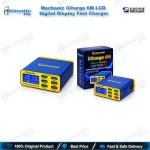
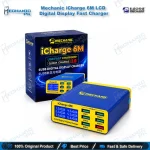
Mechanic iCharge 6M LCD Digital Display Fast Charger
₨ 3,200
Six-Port QC 3.0 Charging Station
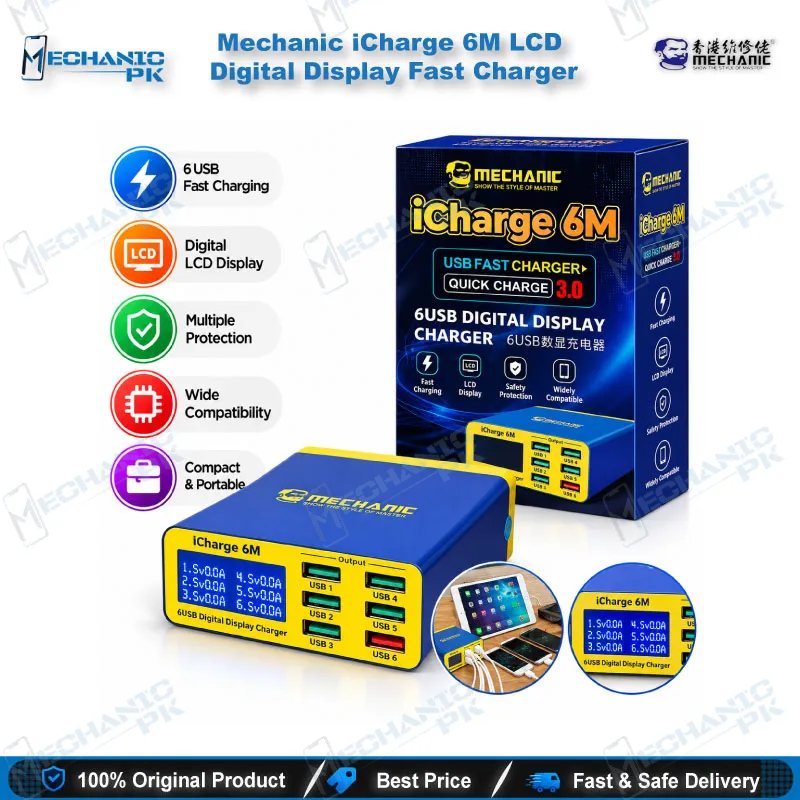
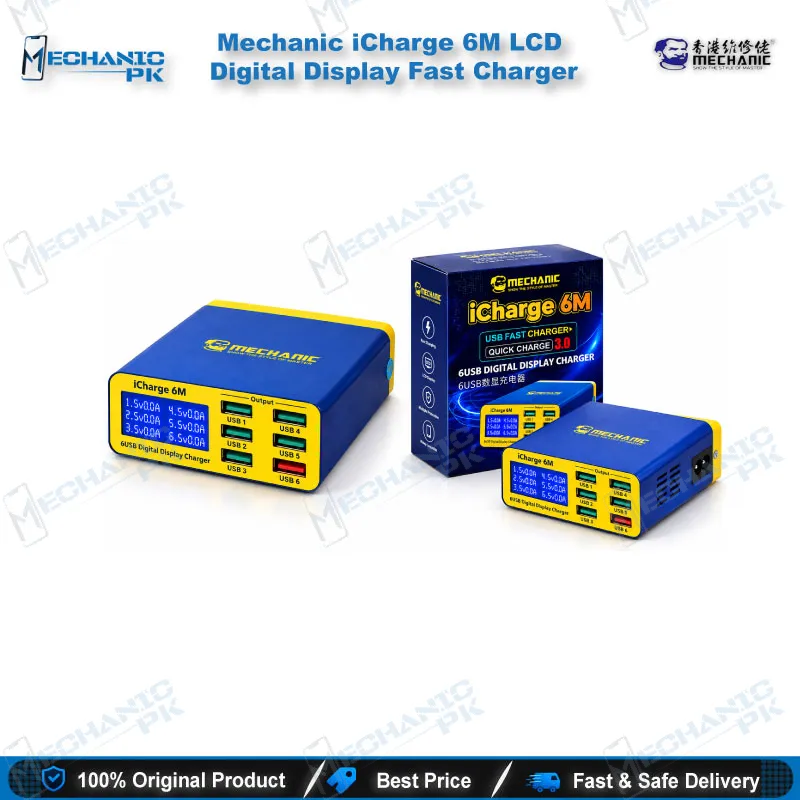
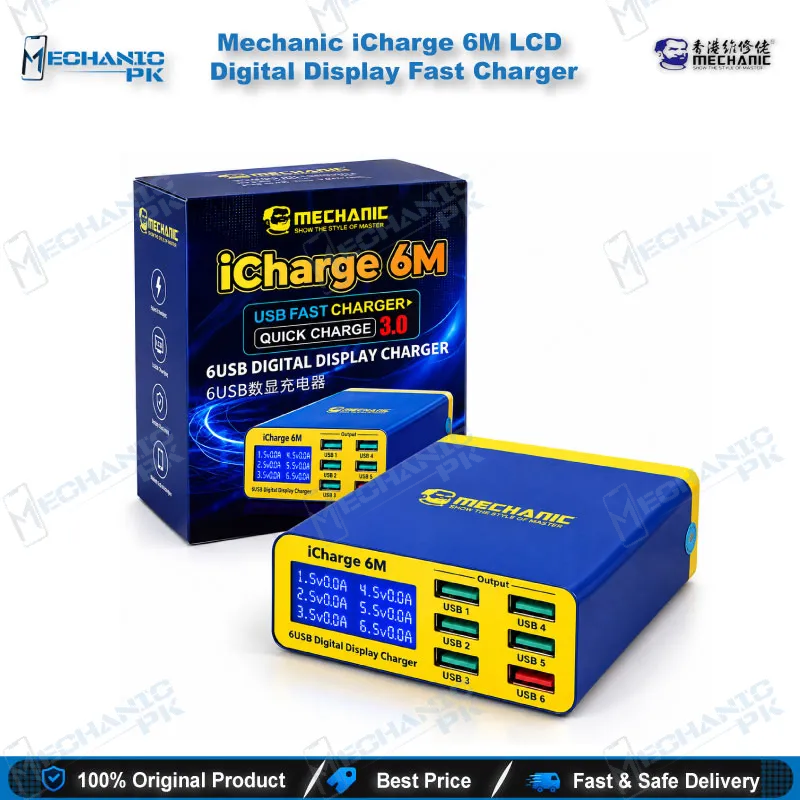
The Mechanic iCharge 6M LCD Digital Display Fast Charger gives your repair bench six USB-A ports on a single AC feed, with an LCD readout of voltage and current for the handsets you plug in. One port supports QC 3.0 fast charging, and the five standard ports deliver up to 2.4A each. The 40W combined rating and the 100–240V input suit Pakistani workshops that charge, test and queue many phones, tablets and iPhones at once. Use it for intake charge checks, post-repair current verification and keeping flash-queue devices powered. Mechanicpk supplies it to technicians who want clear charging data instead of guesswork.
In stock
Mechanic iCharge 6M: Six-Port QC 3.0 Charging Station for Repair Benches
The Mechanic iCharge 6M LCD Digital Display Fast Charger puts six USB-A ports, QC 3.0 fast charging and a live LCD readout into one bench-top unit. Repair shops across Pakistan that charge, test and queue dozens of handsets a day use a station like this to replace a tangle of loose adapters. You plug a phone in, read the voltage and current on the screen, and decide your next diagnostic step within seconds. That makes the Mechanic iCharge 6M a practical testing tool for charging issue complaints, not just a power outlet.
Six-Port QC 3.0 Charger Layout and Power Limits
Six USB-A ports share one housing. Five are standard outputs at 5V with up to 2.4A each. The sixth is a QC 3.0 port that negotiates higher voltage with Quick Charge phones, up to 12V at 1.5A. The unit carries a 40W combined rating, so the total draw across all six ports stays under that ceiling. Count your devices before you plug in: five phones pulling the 2.4A maximum would ask for more than 40W, so mix fast-charging handsets with low-draw devices. Assign the QC 3.0 port to the phone you need back on its feet fastest, and use the standard ports for tablets and phones you only keep topped up. The AC input accepts 100–240V at 50/60Hz, which covers Pakistan’s mains supply without a separate converter. A rear heat-dissipation panel and a flame-retardant housing help the unit run through a full shift.
Reading the LCD Display Before You Open the Phone
The LCD digital display shows charging status with voltage and current, so you see what a handset actually pulls the moment the cable goes in. Zero current on a dead phone after a charging port replacement sends you toward the connector, flex cable or charging IC instead of the adapter. Normal current with a battery percentage that never climbs points you toward the battery or the power management section. A phone that charges normally but hangs on logo after a flash needs a software fix, and a stable current reading lets you rule out power as the cause. This quick read keeps simple cases off your Multimeters and Test Boxes, so you save those for faults that need board-level measurement.
Where the iCharge 6M Fits in Your Repair Workflow
Use the iCharge 6M at both ends of the job. At intake, charge-test each phone to separate a true dead phone from a flat battery before you quote the customer. After an IC change karna job, a charging port swap or a battery replacement, return the handset to the station and confirm a steady current before you hand it back. During a software queue, keep several devices charged so a box chalana session never stalls on a low battery.
Place the station on the testing side of your bench, away from Hot Air Stations, Soldering Stations and Reballing Kits, where heat and flux splatter shorten the life of any electronics. Boards you inspect under Microscopes and clamp in PCB Holders stay on the repair side, while finished phones return to the charger for final checks. Shops that run ISP Pinout Tools, eMMC Programmers and UFS Adapters jobs can park the other handsets in the queue on this charger so none of them drains while you work one board. When your volume outgrows six ports or you need USB-C PD output, step up to a larger PD-capable multi-port charging station.
Service centers and training institutes gain consistency too. One model on every bench gives your technicians the same readout format, so a trainee reads current the same way a senior technician does, and your team stops swapping loose adapters between stations.
| Weight | 0.35 kg |
|---|
Key Features
- Six USB-A ports on one AC feed
- QC 3.0 fast charging on one dedicated port
- Five standard ports at up to 2.4A each
- LCD digital display showing voltage and current
- 40W combined power rating
- Wide AC 100–240V, 50/60Hz input
- Rear heat-dissipation panel for even heat spread
- Flame-retardant housing for long workshop shifts
Specifications
| Brand | Mechanic |
|---|---|
| Model | iCharge 6M |
| Category | Multi-Port USB Charging Station |
| Compatibility | Universal USB-A charging for phones and tablets; QC 3.0 speed applies only to Quick Charge-capable devices on the QC 3.0 port |
| Technology | QC 3.0 fast charging; LCD digital display for voltage and current; 6 x USB-A ports (5 standard, 1 QC 3.0) |
| Input Voltage | AC 100–240V, 50/60Hz |
| Output Voltage | 5V up to 2.4A on each standard port; QC 3.0 port up to 12V at 1.5A (max) |
| Power Rating | 40W (max, combined) |
Common Repair Uses
- Charge testing and power verification across the repair bench
- Intake charge test to separate a dead phone from a flat battery
- Current check after a charging port replacement
- Verification after a battery replacement
- Post-repair stability check after an IC change
- Charging issue diagnosis by reading voltage and current
- Keeping queued handsets powered during software and flashing sessions
- Burn-in charging of repaired phones before customer delivery
- Shared charging station for service centers and training institutes
Compatible Devices
- Universal USB-A charging scope for phones and tablets that charge over USB; QC 3.0 fast charging works only on Quick Charge-capable devices
- iPhone series
- iPad and other tablets
- Huawei phones
- OPPO phones
- vivo phones
- Xiaomi phones
- Samsung phones
- Other USB-powered Android phones and tablets
FAQ
What is the product name?
What is the brand of this product?
What is the model of this product?
What is this product used for?
Which devices are compatible with this product?
Who should use this product?
Does the Mechanic iCharge 6M work on Pakistan’s 220V mains supply?
How many QC 3.0 ports does the iCharge 6M have, and what do the other ports output?
Related products