




Mijing K33 Pro Face ID Fixture for iPhone X-12 Pro Max
₨ 1
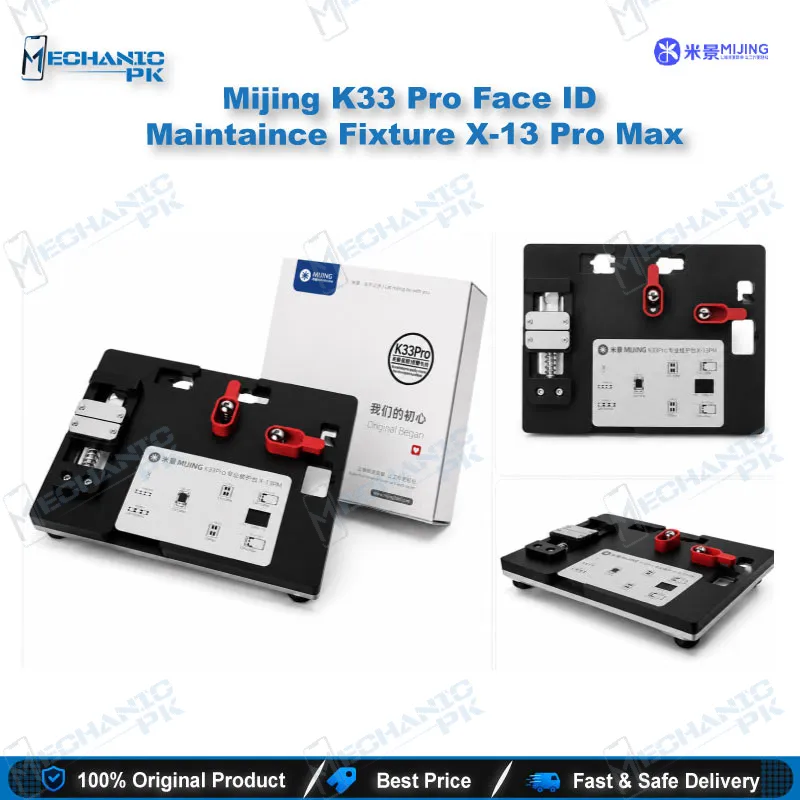
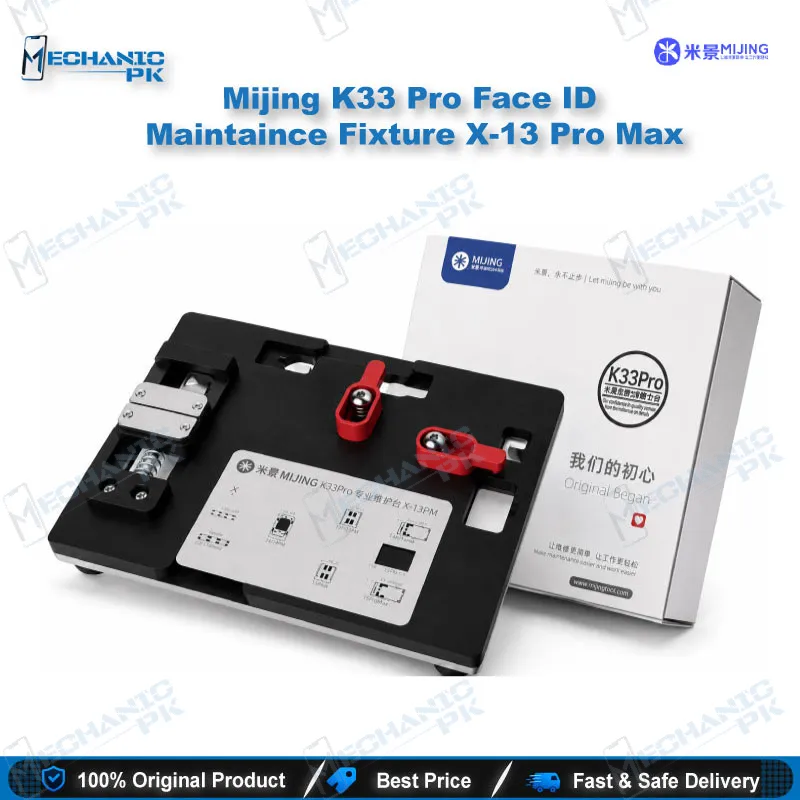
Mijing K33 Pro 3-in-1 Face ID Repair Fixture
Dot projector faults often start with the motherboard shifting under the iron or hot air. The Mijing K33 Pro gives your bench a 3-in-1 Face ID repair fixture covering disassembly, chip IC repair, and face lattice tin planting. You secure the board once and work through each stage without re-seating it. The listed compatibility covers iPhone X through 12 Pro Max. For Face ID not working cases, a steady hold means cleaner tin work and fewer reflow mistakes. It does not replace a dot matrix programmer, so keep your usual data tools for flex writing and calibration.
Out of stock
Face ID Repair Fixture for iPhone X to 12 Pro Max
A Face ID repair fixture for iPhone earns its place on the bench the moment dot projector work begins. The Mijing K33 Pro is a 3-in-1 holder built around three workflow areas: disassembly, chip IC repair, and face lattice tin planting. Most Face ID faults trace back to the dot projector, its flex connection, or the lattice area, and each stage asks for a different kind of board control. When one fixture holds the board through all three stages, your workflow stays consistent from teardown to final tin. It suits technicians handling Face ID not working complaints, dot matrix faults, and front camera area repairs. The K33 Pro works alongside your soldering station, hot air station, and microscope rather than replacing any of them.
Dot Projector Fixture Setup at the Disassembly Stage
The disassembly stage is where a loose board causes the most damage. A board that rocks on the bench turns a routine shield removal into a torn connector or a lifted pad. The K33 Pro gives the logic board a fixed seat, so both hands stay free for prying and lifting. Check each clip and cable before you apply heat, and keep the flex ribbon clear of the tool edges. Work slowly around the dot projector assembly, because its adhesive and cable routing leave little room for error. A Face ID repair fixture for iPhone reduces stress on the board, and that steadiness shows up in cleaner teardowns every time.
Chip IC Repair Area and Board Support
The chip IC repair area needs a stable platform more than any other stage. Whether you call it IC change karna or a board-level swap, lifting and reseating a small IC depends on a board that does not flex under the iron tip or hot air nozzle. The fixture supports the board so you can flux the pads and apply heat at a steady angle. Use a microscope to confirm pad alignment before you press the component down. Once the joint cools, clean the flux residue, because leftover residue can hide a short from your multimeter. A dependable Face ID repair fixture for iPhone saves the most rework time at this stage.
Face Lattice Tin Planting Stage
Tin planting on the face lattice area asks for precision at a scale that tests patience. Solder paste and tin points need the lattice contacts aligned before heat goes in. The K33 Pro holds the position while you work through each contact, which helps reduce slipped tin and bridged pads. Plan a short continuity check after each set of joints rather than waiting until the end. Clean the area and inspect the lattice points under magnification before you reassemble the flex. Keep your tin quantities consistent, because uneven tin creates the same faults a rushed repair does.
| Weight | 0.15 kg |
|---|
Key Features
- Three-in-one design covering disassembly, IC repair, and lattice tin planting
- Holds the board steady across each Face ID workflow stage
- Built from a durable material for regular bench use
- Designed for iPhone X through 12 Pro Max
- Supports board stability during soldering and hot air work
- Keeps the dot projector area accessible during tin planting
- One fixture covers multiple repair stages on the same bench
- Supplied as one piece in the listed package
Specifications
| Brand | Mijing |
|---|---|
| Model | K33 Pro |
| Category | Face ID Repair Fixture |
| Compatibility | iPhone X to 12 Pro Max |
| Supported Devices | iPhone X, XS, XS Max, XR, 11, 11 Pro, 11 Pro Max, 12 series |
| Technology | 3-in-1 fixture for disassembly, chip IC repair, and face lattice tin planting |
Common Repair Uses
- Removing the front camera and dot projector assembly during Face ID part replacement
- Holding the logic board during chip IC repair near the Face ID circuit
- Supporting the board during face lattice tin planting
- Keeping the board level during dot matrix flex cable replacement
- Stabilizing the board during flux and heat work around the dot matrix area
- Holding boards at the bench during Face ID not working diagnosis
- Supporting microscope-assisted pad inspection
- Reducing board movement during cleaning and continuity checks after tin work
Compatible Devices
- Listed scope covers iPhone X through 12 Pro Max
- iPhone X
- iPhone XS
- iPhone XS Max
- iPhone XR
- iPhone 11
- iPhone 11 Pro
- iPhone 11 Pro Max
- iPhone 12 series (12 mini, 12, 12 Pro, 12 Pro Max)
FAQ
What is the product name?
What is the brand of this product?
What is the model of this product?
What is this product used for?
Which devices are compatible with this product?
Who should use this product?
Does this fixture support iPhone 13 and newer models?
Can this fixture hold the board during face lattice tin planting?
Related products