
Sunshine TB-10 Thermal Multimeter for PCB Diagnostics
₨ 1
Thermal Imaging and Multimeter in One Handheld
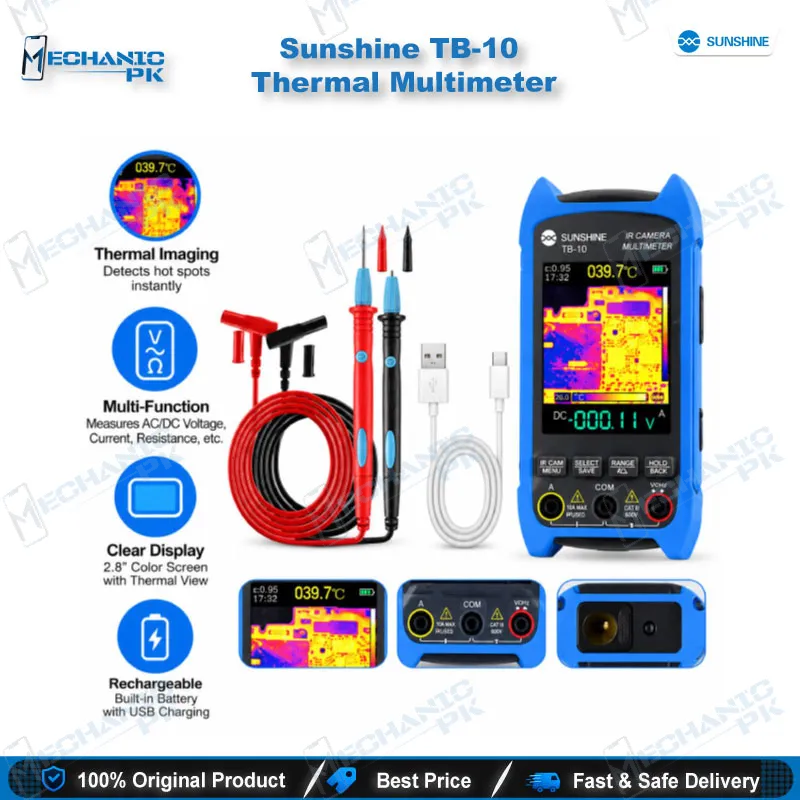
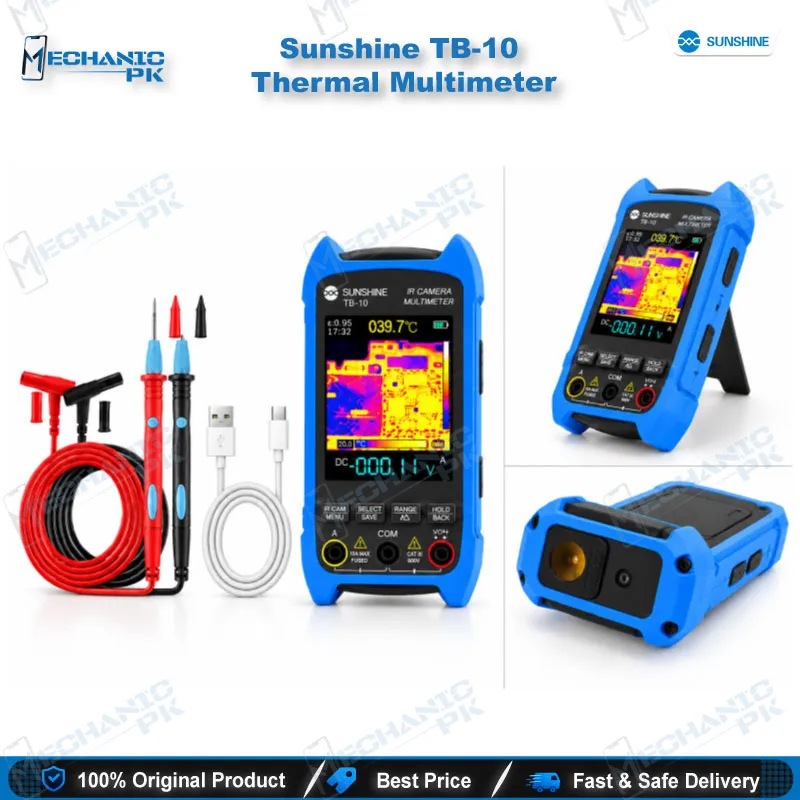
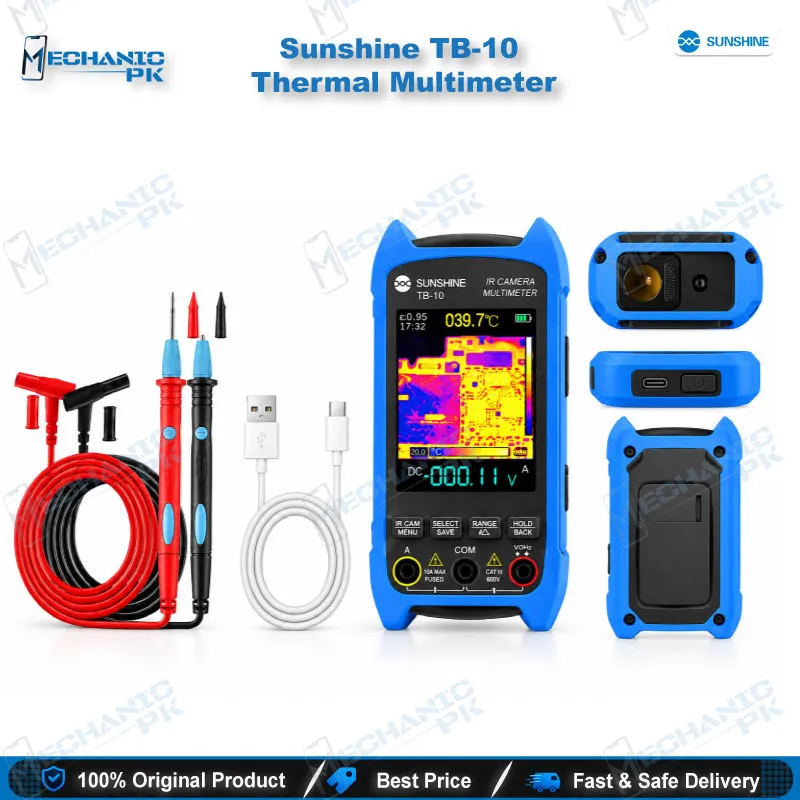
The Sunshine TB-10 Thermal Multimeter gives your repair bench a thermal camera and a True RMS multimeter in a single handheld tool. A 96×96 uncooled VOx sensor with ISR super-resolution shows heat on a 2.8-inch screen, and a movable macro lens resolves detail down to 1 mm. Power a dead phone board, spot the hot component, then confirm the short with diode, resistance or continuity mode using the included SS-024B test leads. USB-C handles charging and image transfer, and a removable 18650 cell powers the unit. Use it for charging issues, power-rail shorts and post-rework checks.
Out of stock
Sunshine TB-10 Thermal Imaging Multimeter for Mobile Repair: Find the Fault, Then Measure It
The Sunshine TB-10 Thermal Multimeter is a thermal imaging multimeter for mobile repair that combines an uncooled vanadium oxide (VOx) thermal sensor with a True RMS digital multimeter in one handheld body. You power up a dead phone board, watch the 2.8-inch screen for the component that runs hot, and switch to the meter to prove the fault with the included SS-024B test leads. That single-tool flow replaces the constant swap between a thermal camera and a separate meter. It also gives your hardware fault diagnosis a clear order: locate the heat first, then measure the rail that feeds it.
Thermal Imaging Performance for Board-Level Diagnosis
The TB-10 captures 96×96 pixels and applies ISR super-resolution to enhance the image to 240×240, which it shows on a 2.8-inch, 240×320 LCD. You adjust emissivity from 0.1 to 0.99 (default 0.95), so you can compensate when you scan bare metal shield cans, tinned pads or black IC packages that radiate differently. Five palettes (Iron Red, Rainbow, Fusion, White Heat and Red Heat) let you pick the contrast that makes a warm PMIC stand out on a crowded board. Live central, maximum and minimum temperature readouts give you numbers to compare from board to board.
A movable macro lens lets you inspect detail down to 1 mm. That helps when a leaking capacitor or a shorted small passive hides beside a larger IC. You save screenshots as BMP files, then connect the unit over USB-C to view them on a PC. A reference image of a healthy board next to the faulty one speeds up every repeat job.
True RMS Multimeter Functions on the Same Handheld
Once the thermal scan points at a component, you stay on the same instrument to confirm the fault. The multimeter side measures True RMS AC and DC voltage and current, resistance, capacitance, frequency and temperature. Diode test and continuity with a buzzer let you check a suspect power line to ground for a short. Auto-ranging and REL mode remove manual range switching and help you read small differences between similar channels.
Data hold freezes a reading while you keep both probes on the pads. Burn-out protection and auto power-off protect the unit through long bench sessions. Non-contact voltage (NCV) detection and live/neutral wire identification extend the tool beyond the phone bench to chargers, adapters and mains-powered fixtures.
Where the TB-10 Fits in Your Repair Workflow
Place the TB-10 at the diagnosis stage, before you reach for the hot air station or soldering iron. A phone with a charging issue that pulls high current on the bench supply, a dead phone that heats up with no display, and a board that stopped working after liquid damage all share one first step: find the part that warms up. Spot the hot component on the thermal image, confirm the short in diode mode, then decide whether to clean the area, lift the part or replace the IC.
After the rework, scan the board again and verify that the hot spot has gone before you close the device. Pair the TB-10 with a microscope for a closer look at the marked area. Add a PCB holder to keep the board steady while you probe. Use a hot air station or soldering station for the repair itself. Technicians who run reballing, CPU or PMIC replacement jobs also scan the board after reflow to catch new heat before the customer does.
Power, Connectivity and What You Get in the Box
The TB-10 runs on a removable 18650 lithium cell, and its USB-C port handles charging and data transfer. The interface supports Chinese, English and German, and dual-function flashlight and shortcut buttons keep your most-used controls under your thumb. The package contains the TB-10 unit, a USB-C cable, SS-024B test leads, a storage case, an instruction card and a quality certificate.
If you build out a diagnosis bench, browse our Multimeters, Microscopes, Hot Air Stations, Soldering Stations, Test Boxes and PCB Holders categories to complete the setup. Reach for this thermal imaging multimeter for mobile repair first whenever a board shows a short, and move on to ISP pinout tools, eMMC programmers or UFS adapters only after the hardware fault is cleared.
| Weight | 0.45 kg |
|---|
Key Features
- Uncooled VOx thermal sensor with 96×96 capture enhanced to 240×240 by ISR super-resolution
- 2.8-inch 240×320 LCD with live central, maximum and minimum temperature readouts
- Adjustable emissivity from 0.1 to 0.99 (default 0.95)
- Movable macro lens for detail down to 1 mm
- Five thermal palettes: Iron Red, Rainbow, Fusion, White Heat and Red Heat
- True RMS multimeter with AC/DC voltage and current, resistance, capacitance, frequency and temperature
- Diode test, continuity buzzer, NCV detection and live/neutral wire identification
- USB-C charging and PC image transfer, BMP screenshots and removable 18650 cell
Specifications
| Brand | Sunshine |
|---|---|
| Model | TB-10 |
| Category | Thermal Imaging Multimeter (PCB Diagnostic Tool) |
| Compatibility | Universal. Works on any powered circuit board; not device-specific |
| Supported Devices | Mobile phone motherboards and other electronic PCBs |
| Technology | Uncooled vanadium oxide (VOx) thermal sensor, 96×96 pixels enhanced to 240×240 by ISR super-resolution; True RMS digital multimeter; 2.8-inch 240×320 LCD |
| Power Source | Removable 18650 lithium cell; USB-C for charging and data transfer |
Common Repair Uses
- Locating short circuits on the main power rail of a dead phone
- Finding the hot component behind a charging issue
- Spotting leaking or shorted capacitors
- Identifying an overheating PMIC or charging IC
- Confirming a short with diode test and continuity after the thermal scan
- Verifying the board for new hot spots after IC change or reflow
- Comparing a healthy board against a faulty one using saved BMP images
- Checking voltage, resistance and capacitance on a suspect component
Compatible Devices
- Universal scope. The TB-10 inspects any powered board and is not tied to one phone brand or chipset.
- Android smartphone motherboards
- iPhone logic boards
- Tablet mainboards
- Laptop motherboards
- Charging port and sub-boards
- Power bank and charger PCBs
- Bluetooth earbud and speaker boards
- General electronic PCBs and appliance control boards
FAQ
What is the product name?
What is the brand of this product?
What is the model of this product?
What is this product used for?
Which devices are compatible with this product?
Who should use this product?
Can the Sunshine TB-10 find a short circuit on a dead phone motherboard?
What thermal resolution and close-up detail does the TB-10 offer?
Related products