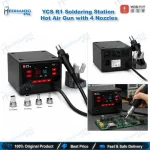
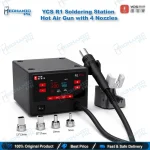
YCS R1 Hot Air Gun 1000W with 4 Nozzles
₨ 3,600
YCS R1 Hot Air Gun for Mobile Repair
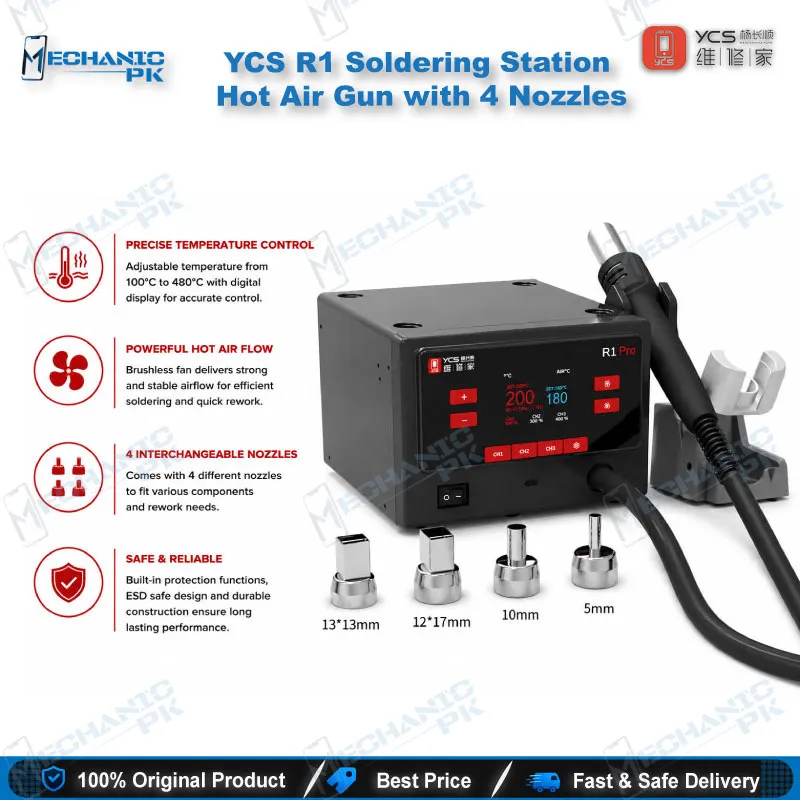
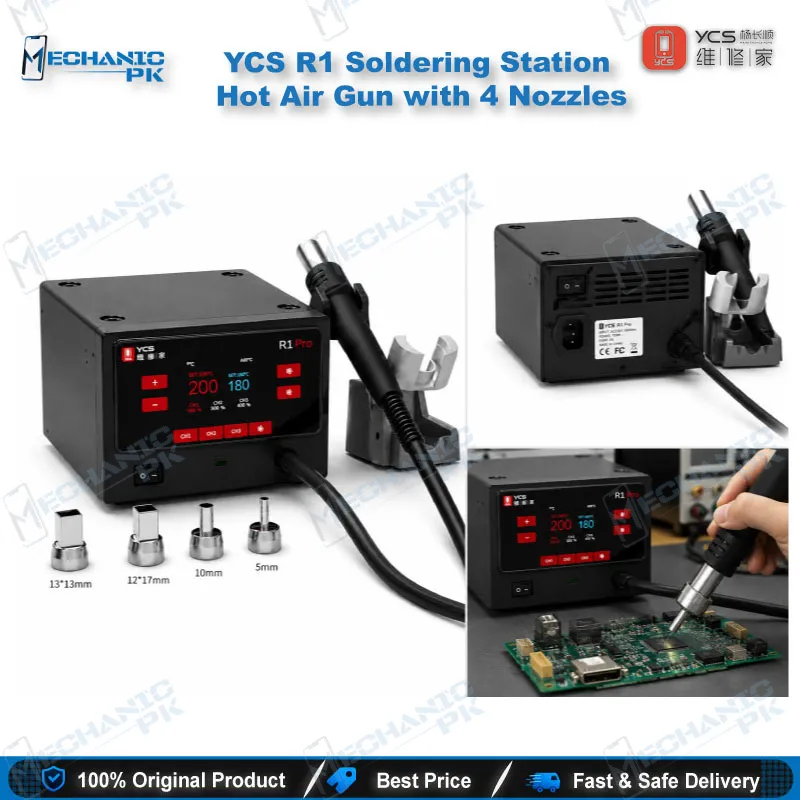
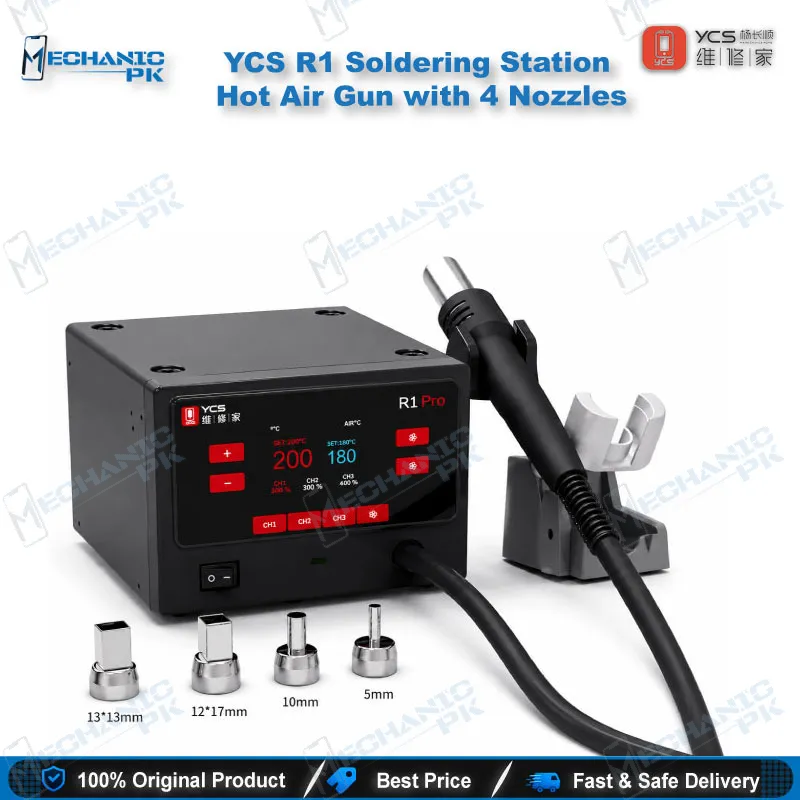
The YCS R1 hot air gun for mobile repair gives your bench 1000W of controlled heat for BGA, CPU and SMD rework. An HD color screen shows temperature and power in real time, and the menu lets you set airflow and recall your saved temperature. Four nozzles (5mm, 10mm, 12x17mm and 13x13mm) cover everything from charging ICs to full-size processors on iPhone, Android, iPad, tablet and laptop boards. Technicians across Pakistan reach for this 1000W BGA rework station on dead phone, charging issue and boot loop repairs. Order the YCS R1 from Mechanicpk and equip your repair shop with a precise hot air station.
In stock
YCS R1 Hot Air Gun for Mobile Repair: 1000W Board-Level Rework
The YCS R1 hot air gun for mobile repair pushes 1000W through a controlled hot air handpiece, and it gives board-level technicians a dependable way to lift and place BGA chips, CPUs and SMD components. Mechanicpk stocks the R1 for Pakistani repair shops that handle motherboard work every day: dead phone cases, charging issue boards and hardware fault jobs that end in an IC change. The kit ships with four nozzles, so you start working on small ICs and large processors without buying extra tips.
Key Technical Highlights
The R1 delivers 1000W of heating power, which gives you quick heat-up and the headroom to work on full-size motherboards without waiting between steps. An HD color screen shows temperature and dynamic power in real time, so you read the numbers at a glance instead of guessing from a dial. You set temperature and airflow through the menu, and the temperature memory recalls your working profile when you power on. That saves time on every job when you jump from a small charging IC to a large CPU. The intelligent sleep mode drops the heater into standby during idle time, which protects the heating element and keeps your repair bench safer during long sessions. The package holds the air gun, four nozzles, a power cord and a user manual, so the unit works as soon as you plug it in. For a workshop that runs several rework jobs per day, that simple setup means less time on accessories and more time on the board itself. The menu-driven layout keeps temperature, airflow and power in one view, which helps newer technicians on your team learn the process quickly and helps experienced hands repeat their settings with confidence.
Where the R1 Fits in Your Rework Workflow
Board-level repair starts before the hot air gun leaves its holder. You trace the fault with a multimeter, inspect pads and solder joints under a microscope, and clamp the board in a PCB holder so nothing shifts under airflow. The R1 takes over at the heating stage. You apply flux, set the temperature for the package in front of you, move the handpiece over the chip in a slow circular pattern, and lift the chip once the solder flows. After you clean the pads, a reballing kit restores the ball array, and the R1 reflows the chip back onto the board. Preheat the board gently before you go to full temperature, because even heat across the PCB lowers the risk of warping and lifted pads on thin phone boards. The same sequence covers a CPU swap, a charging IC replacement on a dead phone, a power IC change on a boot loop issue board, and a display driver replacement on a display problem board.
Matching the Four Nozzles to the Component
The nozzle set gives you four footprints: 5mm, 10mm, 12x17mm and 13x13mm. Pick the 5mm nozzle for small power, audio and charging ICs where you want heat concentrated on a single package. The 10mm nozzle suits mid-size chips that sit close to neighbors. Reach for the 12x17mm nozzle when the package has a long side, and the 13x13mm nozzle for processors and memory chips with a square footprint. Choose a nozzle slightly larger than the package so heat reaches every ball without cooking the components beside it. Keep the handpiece moving, shield nearby plastic connectors with heat-resistant tape, and let the board cool before you touch it. A fresh nozzle seat and steady hand matter more than raw temperature, so build the habit of starting low and raising heat in small steps. Airflow deserves the same care: a strong stream can blow small passive components off the board, so reduce airflow when tiny capacitors and resistors sit within reach of the nozzle, and raise it only for larger packages that need broad heat coverage.
Board Types and Repair Scenarios You Can Take On
The R1 targets BGA and SMD rework, so it covers more than phone boards. Technicians use it on iPhone and Android motherboards, iPad and tablet boards, and laptop motherboards, which lets one station serve every device category that walks into your shop. That flexibility matters for service centers and training institutes, where the job queue mixes flagship iPhones, budget Android boards and the occasional laptop. Typical jobs include CPU and memory chip removal, charging issue repairs that call for IC change karna, and SMD component swaps on boards that return with a recurring hardware fault. Check the heat tolerance of the chip and the parts around it before you start, and keep your temperature conservative near flash memory, connectors and any adhesive-bonded parts. When a dead after flash phone arrives, the R1 gives you the controlled heat you need to pull a damaged storage chip and fit a replacement cleanly. Repair shops that handle boot loop issue and hang on logo complaints also gain a practical option for reworking the power and memory chips behind those faults, as long as the technician confirms the fault first with proper diagnostics and keeps the temperature profile matched to the package.
Building a Complete Bench Around the R1
The R1 handles heat, so complete your setup around it. Soldering Stations take care of fine pad work and jumper lagana on small test points. Test Boxes and ISP Pinout Tools let you attempt a software fix or in-circuit read before you pull any chip, and eMMC Programmers and UFS Adapters let you read or rewrite storage once you decide to proceed. Microscopes and PCB Holders raise your accuracy at the bench, Multimeters pin down the fault before you apply heat, and Reballing Kits finish the job after removal. If your workload outgrows 1000W, browse the wider Hot Air Stations range at Mechanicpk for higher-capacity options. Stocking these categories together lets you build a complete rework bench in one order and keep your repair workflow consistent from diagnosis to final test. Each tool in that chain shortens the gap between a fault report and a working phone, and the R1 sits at the center of it as the heat source you will reach for most often.
| Weight | 4.0 kg |
|---|
Key Features
- 1000W high-power hot air output
- HD color screen with real-time temperature and dynamic power display
- Menu-driven temperature and airflow adjustment
- Temperature memory for your last working profile
- Intelligent sleep mode to protect the heater
- 4 standard nozzles: 5mm, 10mm, 12x17mm and 13x13mm
- Suits BGA and SMD rework on phones, iPads, tablets and laptops
- Ships with air gun, 4 nozzles, power cord and user manual
Specifications
| Brand | YCS |
|---|---|
| Model | R1 |
| Category | Hot Air Station / BGA Rework Station |
| Compatibility | Universal BGA and SMD rework — not device-specific |
| Supported Devices | iPhone, iPad, mobile phones, tablets, laptops |
| Technology | Intelligent hot air heating with HD color display, temperature memory and airflow adjustment |
| Power Rating | 1000W |
Common Repair Uses
- BGA and SMD removal, soldering and reflow on mobile phone, tablet and laptop boards
- CPU removal and replacement
- BGA chip desoldering and soldering
- Charging IC change on charging issue boards
- Power IC replacement on dead phone and boot loop issue boards
- Memory chip removal on dead after flash cases
- SMD component swap on hardware fault boards
- Reflow after reballing
- Motherboard desoldering on tablet and laptop PCBs
Compatible Devices
- Universal BGA/SMD rework scope — iPhone, iPad, mobile phone, tablet and laptop boards (not model-specific)
- iPhone motherboards
- Android mobile phone motherboards
- iPad logic boards
- Tablet PCBs
- Laptop motherboards
- Mobile phone CPU and BGA chip packages
- SMD components on phone PCBs
- IC chips on repair boards
FAQ
What is the product name?
What is the brand of this product?
What is the model of this product?
What is this product used for?
Which devices are compatible with this product?
Who should use this product?
Which nozzle sizes come with the YCS R1 hot air gun?
Can the YCS R1 hot air gun remove BGA chips and CPUs from iPhone and Android boards?
Related products