

Mechanic B110 Silicone Air Blower Ball for Phone Repair
₨ 1
Mechanic B110 Silicone Air Blower Ball for Phone Repair
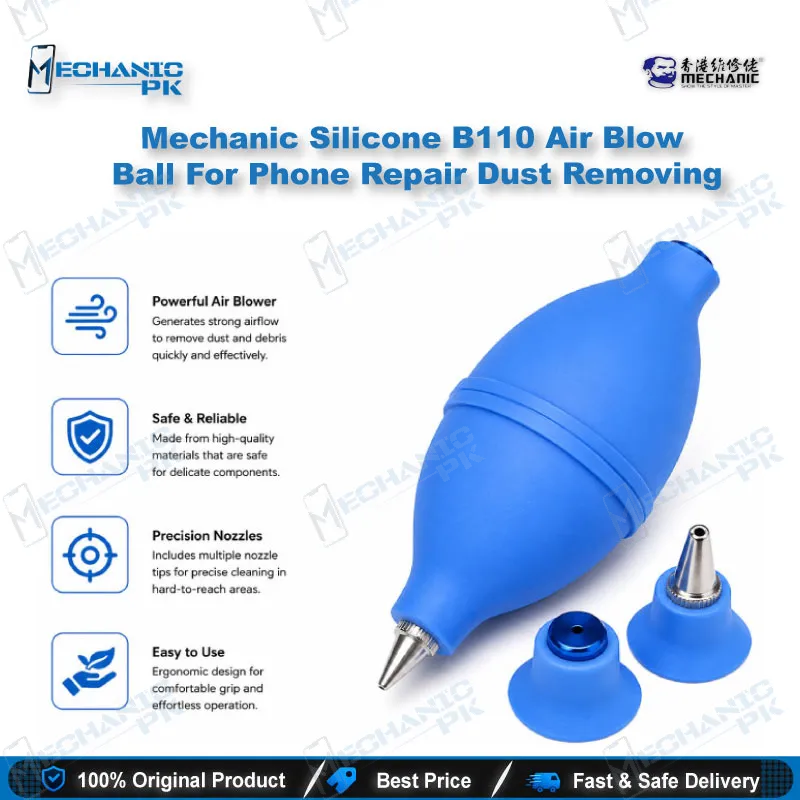
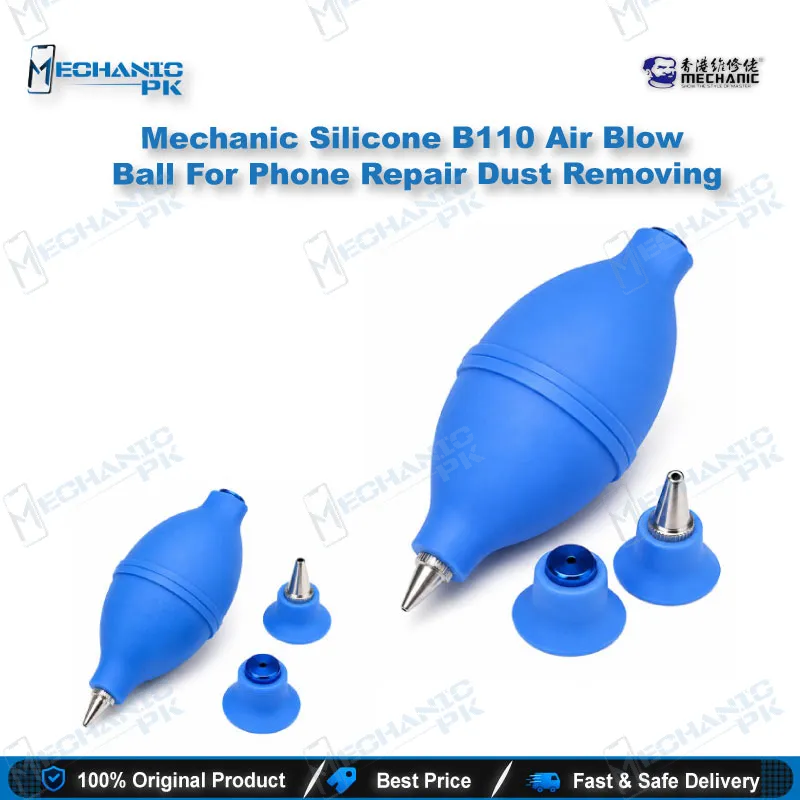
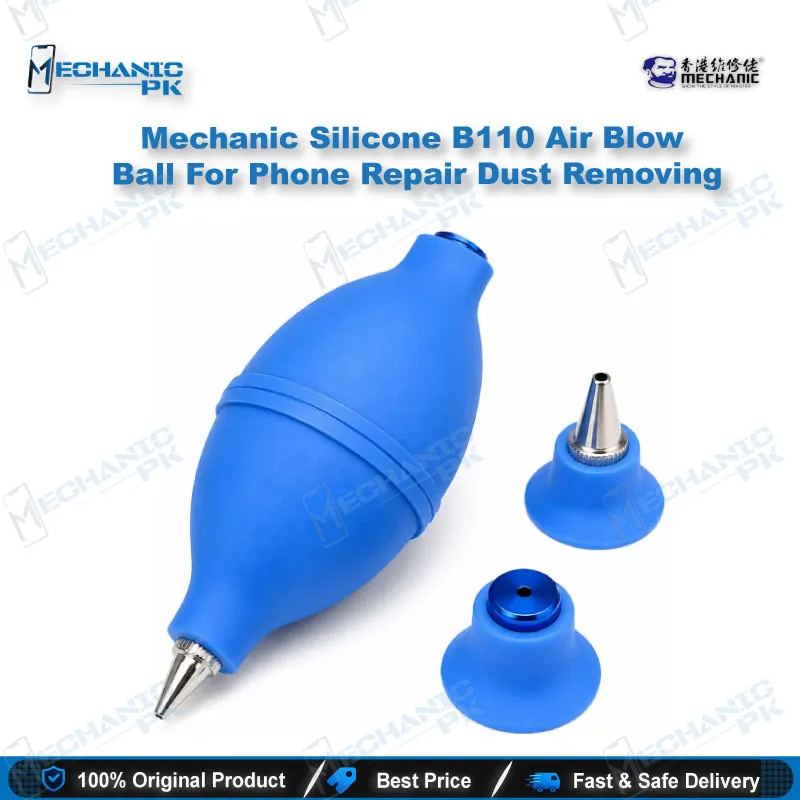
The Mechanic B110 is a silicone air blower ball built for phone repair benches. Squeeze the soft body to push a controlled burst of air across motherboards, LCD edges, camera lenses and keyboard gaps. Two interchangeable nozzles let you move from tight connector areas to wider surfaces in seconds. Because the tool uses no propellant, you clear loose dust without spraying liquid residue onto your components. Keep one on your bench before every reflow, IC or board job for a cleaner working surface.
Out of stock
Silicone Air Blower Ball for Phone Repair Dust Removal
A silicone air blower ball for phone repair is one of the simplest tools on the bench, yet it shapes how clean a board stays before and after every job. The Mechanic B110 is a squeeze-style dust blower that moves loose debris without adding moisture or propellant residue. You get a flexible silicone body and two interchangeable nozzles in one compact tool. It handles phone motherboards, camera modules, LCD edges and keyboard gaps, which makes it a daily companion on your repair bench.
How the Squeeze Pump Delivers Controlled Airflow
Each squeeze of the silicone body pushes a measured burst of air through the nozzle. Your hand controls the pressure, so you decide how hard each burst hits the board. Light pressure lifts fine dust off a motherboard without disturbing small components, while a firmer squeeze clears stubborn particles from a connector opening. The silicone stays flexible and resists wear, so the body keeps its shape after repeated use. Nothing is pressurised in advance, so no propellant gets sprayed across your chips. Hold the nozzle a few millimetres from the surface for the cleanest result.
Dual Nozzles for Board Gaps and Open Surfaces
The B110 comes with a long nozzle for narrow gaps and a short nozzle for broader areas. You switch between them by changing the nozzle, so one tool covers both kinds of cleaning. The long tip reaches between connector pins, under shield edges and into keyboard gaps during a laptop service job. The short tip covers a wider board or a camera lens in fewer passes. Wipe the nozzle opening with a soft brush now and then so the silicone stays clean and the airflow stays consistent.
Where the Silicone Air Blower Ball Fits in Your Repair Workflow
Use the blower before any board work starts. Clearing dust from a motherboard before you reflow, reball or replace an IC keeps loose particles away from fresh solder joints. Blow across the board after rework to move solder debris off the working area. On a dead phone job, clear dust from the charging port and battery connector before you reconnect power and test. Keep the blower beside your hot air station and microscope, since cleaning sits between diagnosis and reassembly. Pair it with a brush and isopropyl alcohol for flux residue, because air moves dust but does not dissolve oily film.
| Weight | 0.15 kg |
|---|
Key Features
- Silicone squeeze body for controlled air bursts
- Long and short nozzles for narrow gaps and wider surfaces
- Triangle nozzle shape as listed in the product specification
- Propellant-free operation, so no liquid residue on boards
- Flexible, wear-resistant silicone that keeps its shape
- Suitable for phone motherboards, cameras, LCD screens and keyboards
- Nozzles change quickly on the same body
- Compact handheld size for bench storage
Specifications
| Brand | Mechanic |
|---|---|
| Model | B110 |
| Category | Cleaning and Dust Removal Tools |
| Compatibility | Universal, not device-specific |
| Supported Devices | Mobile phone motherboards, digital cameras, camera lenses, LCD screens, computer keyboards |
| Technology | Manual squeeze air pump with interchangeable long and short nozzles |
| Material | Silicone |
| Dimensions | 51 mm diameter x 125 mm height |
Common Repair Uses
- Dust removal on phone boards, camera modules and display assemblies before or after repair work.
- Clearing dust from a phone motherboard before reflow, reball or IC work
- Blowing solder debris off the working area after rework
- Clearing debris from the charging port and battery connector on a dead phone job
- Removing dust from LCD edges before reassembly
- Cleaning a camera module or lens before fitting a replacement
- Removing grit from keyboard gaps during a laptop service job
- Clearing dust from a board before power-up testing
- Pre-cleaning PCB areas before inspection under a microscope
Compatible Devices
- Universal, not device-specific. Suitable for any phone or electronics board that needs dust removal.
- Smartphone motherboards and PCB components
- Feature phone and tablet boards
- Digital cameras and camera modules
- Camera lenses and color filters
- LCD screens and viewfinders
- Computer keyboards and laptop chassis interiors
- Desktop computer motherboards
- Other optical instruments requiring dust-free surfaces
FAQ
What is the product name?
What is the brand of this product?
What is the model of this product?
What is this product used for?
Which devices are compatible with this product?
Who should use this product?
Can this blower replace compressed air for phone boards?
Which nozzle should I use for tight connector gaps?
Related products