Relife RL-066C Glass Back Cover Blasting Pen
₨ 1,199
Glass Back Cover Blasting Pen for Phone Repair
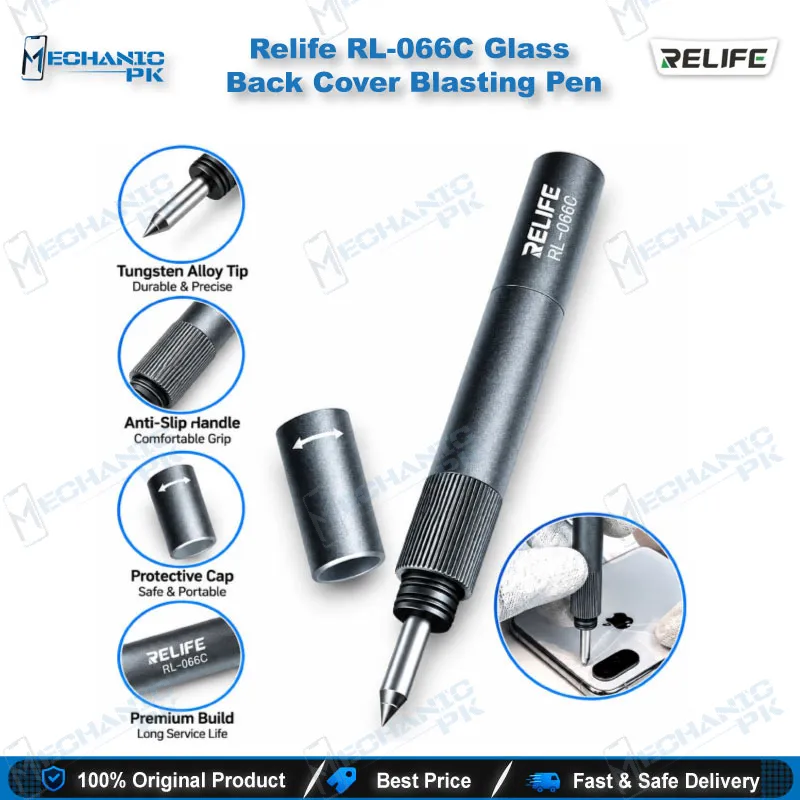
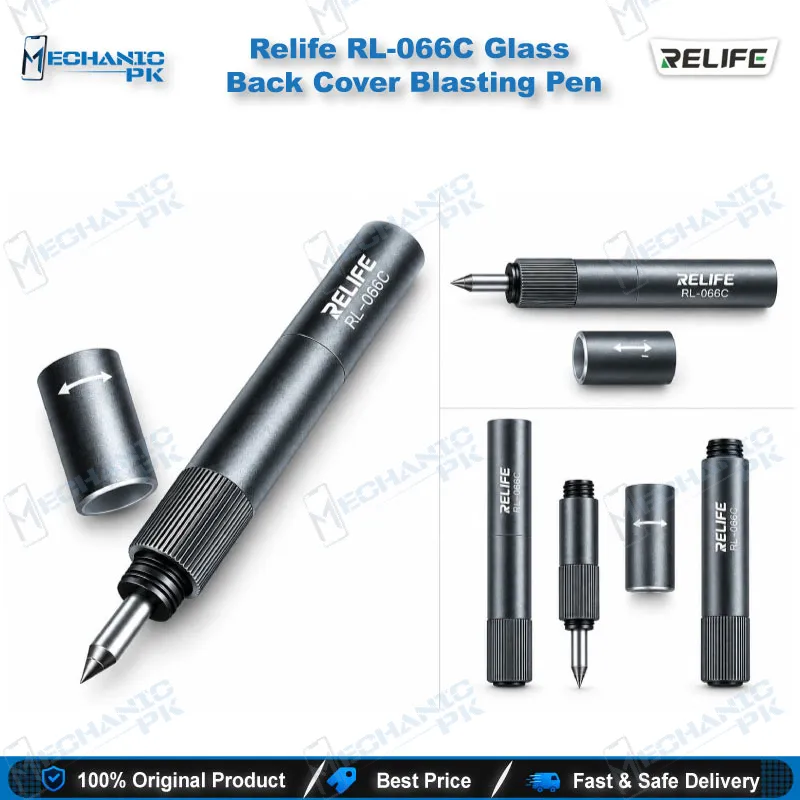
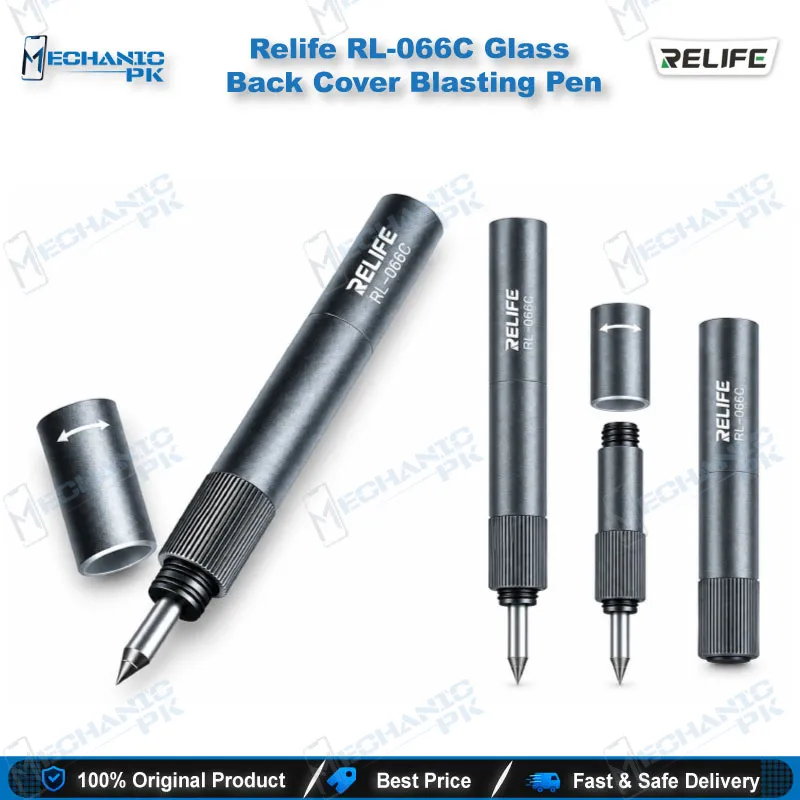
The Relife RL-066C Glass Back Cover Blasting Pen gives technicians a controlled way to break cracked rear glass on iPhone 8 to iPhone 16 Pro Max, Huawei P and Mate series, and other glass-back phones. A hand-polished tungsten steel tip delivers the strike, and the rotating rear cover assembly lets you adjust impact force to the phone in front of you. The sandblasted alloy body keeps your grip steady, and the safety cap covers the sharp tip between jobs. If you run back glass replacements or rear camera lens module work in your Pakistan repair shop, this pen speeds up the first step.
In stock
Relife RL-066C Blasting Pen for Controlled Glass Back Cover Removal
The Relife RL-066C blasting pen gives your bench a purpose-built way to break a cracked glass back cover and clear it from the frame. Relife builds the Glass Back Cover Blasting Pen around a tungsten steel tip and an alloy body, and you rotate the rear cover assembly to set the strike force. Mechanicpk supplies it to Pakistani repair shops that handle glass-back phones every day and want a repeatable first step instead of prying with blades. The pen targets iPhone 8 to iPhone 16 Pro Max, Huawei P and Mate series, and other phones with glass rear panels.
Tungsten Tip and Adjustable Impact Setting
Relife hand-polishes the tungsten steel tip, and that hard point concentrates the strike on a small area of glass. You rotate the rear cover assembly to raise or lower the impact force, which lets you match the pen to different phone models and glass types. Start at a low setting on a new model, test the strike, and increase force only when the glass holds. Relife describes the tool as a one-strike breaker, and a correct setting keeps your follow-up cleanup short. The sandblasted body adds friction, the rounded corners sit comfortably in your fingers, and the compact size lets you keep the pen in a tool roll or pocket beside your tweezers.
Where It Fits in the Back Glass Repair Workflow
A back glass job starts with removing the broken panel, so this pen sits at the very beginning of the workflow. Break the glass, lift the shards, then soften the leftover adhesive with a hot air station and scrape the frame clean under a microscope. A PCB holder keeps the phone steady while you work, and a multimeter helps you check the battery and charging path once the back is open. Rear camera lens module work follows the same pattern: the pen clears the glass around the module so you can reach it. Many glass-back customers arrive with a charging issue or a dead phone after a drop, and opening the back cleanly gives you access to the battery and board before you commit to a deeper repair.
Safe Handling Rules for Your Bench
The pen demands a few habits. Never strike the edges of the glass back cover. Keep the strike away from the centre of the panel on phones with a wireless charging coil, because the tip can damage the coil. Always slide the safety cap over the tungsten tip when you finish, so it never catches a finger or another tool. Support the phone on a firm, flat surface and wear eye protection, since broken glass scatters. If a job turns into a hardware fault, such as a boot loop issue or a dead phone that needs board work, you move up to ISP Pinout Tools, eMMC Programmers, UFS Adapters, Test Boxes, Soldering Stations and Reballing Kits. The blasting pen remains the entry tool for any glass-back phone that lands on your bench.
| Weight | 0.15 kg |
|---|
Key Features
- Hand-polished tungsten steel tip for a focused strike
- Adjustable impact force through the rotating rear cover assembly
- Alloy body with a sandblasted, wear-resistant surface
- Rounded corners and textured grip for a steady hold
- Safety cap that covers the sharp tip when not in use
- Compact, portable size for a tool roll or pocket
- Covers iPhone 8 to iPhone 16 Pro Max and Huawei P and Mate series
- Suits glass-back phones from other brands
Specifications
| Brand | Relife |
|---|---|
| Model | RL-066C |
| Category | Opening Tools |
| Compatibility | Phones with glass back covers, including iPhone 8 to iPhone 16 Pro Max and Huawei P and Mate series |
| Supported Devices | iPhone 8 to iPhone 16 Pro Max, Huawei P series, Huawei Mate series, other glass-back phones |
| Technology | Adjustable impact force via rotating rear cover assembly |
| Material | Tungsten steel tip with alloy body |
Common Repair Uses
- Glass back cover breaking and removal on glass-back phones
- Breaking a cracked rear glass panel before back glass replacement
- Clearing shattered glass from the phone frame
- Opening the back for rear camera lens module access
- Disassembly before battery replacement on glass-back phones
- Opening the back to check a charging issue
- Wireless charging coil-aware disassembly, with the strike kept off the centre
- Preparing the frame for adhesive cleanup with a hot air station
- Back glass swaps on refurbished phones
Compatible Devices
- Glass-back phones, verified scope iPhone 8 to iPhone 16 Pro Max, Huawei P and Mate series, and other glass-back models
- iPhone 8 and iPhone 8 Plus
- iPhone X, XS, XS Max and XR
- iPhone 11 series
- iPhone 12 series
- iPhone 13 series
- iPhone 14 series
- iPhone 15 and iPhone 16 series (up to 16 Pro Max)
- Huawei P and Mate series
FAQ
What is the product name?
What is the brand of this product?
What is the model of this product?
What is this product used for?
Which devices are compatible with this product?
Who should use this product?
How do you adjust the impact force on the Relife RL-066C blasting pen?
Where should you not strike with the RL-066C blasting pen?
Related products