Sugon T26 Soldering Station 120W Lead-Free With Tips
₨ 1
Sugon T26 Soldering Station for Lead-Free Phone Board Work
The Sugon T26 soldering station is a 120W lead-free unit built for component-level repair. It covers a 200 to 500°C working range, recovers heat quickly after each joint, and uses a handle that fits JBC T210 series bodies with C210 tips. The station suits SMD replacement, fine-pitch pin work, and connector repair on phone motherboards, where steady temperature control matters more than raw power.
Out of stock
Sugon T26 Soldering Station for Phone Motherboard Repair
A soldering station sets the pace for every component job on your bench. The Sugon T26 soldering station pairs a 120W heating system with a T210-compatible handle and C210 tips, giving you fast heat recovery on small SMD pads and enough reserve for larger joints. If you repair phone motherboards, charging circuits, or small IC pads, this station handles the core soldering work that most of your day depends on. The sections below explain where it fits in your workflow and how to get the most from it.
Where the Station Fits Your Repair Workflow
Most board-level repairs follow a predictable sequence: diagnose the fault, remove the faulty part, clean the pads, and place the replacement. The soldering station does the heating work in the removal and placement stages. Your multimeter and microscope handle the diagnosis, and the station handles the joints. A stable station keeps pad damage low, because the iron reaches the set temperature quickly and holds it without large swings. Good temperature stability also protects nearby components from excess heat during a repair.
Heating Speed and Temperature Control
The T26 line is rated for an output range of 200 to 500°C, which covers standard lead-free work comfortably. The station uses a single-chip control system to bring the tip up to temperature fast, so you can work at a lower set point and still get clean joints. Three memory channels let you store your favorite temperatures for different jobs, such as a lower setting for delicate pads and a higher setting for ground planes. Set the channel once, then recall it with a press when you switch tasks.
Handle, Tips and Lead-Free Solder
The handle is designed for JBC T210 series bodies and takes C210 series tips. Lead-free solder melts at higher temperatures than leaded alloys, so the tip must hold heat well under load. C210 tips do this reliably on fine pins and small pads. Keep the tip tinned between joints, since a clean, bright tip transfers heat more efficiently than an oxidized one. Avoid files and abrasives on the tip, because they remove the plating that protects the copper core.
Temporary Boost for Large Solder Joints
Some joints, such as shield pins, large connector legs, and ground pads, draw heat away faster than a standard setting can supply. The T26 family includes a temporary boost function. Tap the handle against the station’s stand, and the station raises the temperature for a short period before returning to your set point. Sources for this model describe the boost as roughly 80°C for about 15 seconds. Use the boost only for the joint that needs it, then let the station recover on its own.
Choosing the Right Tip for Board-Level Jobs
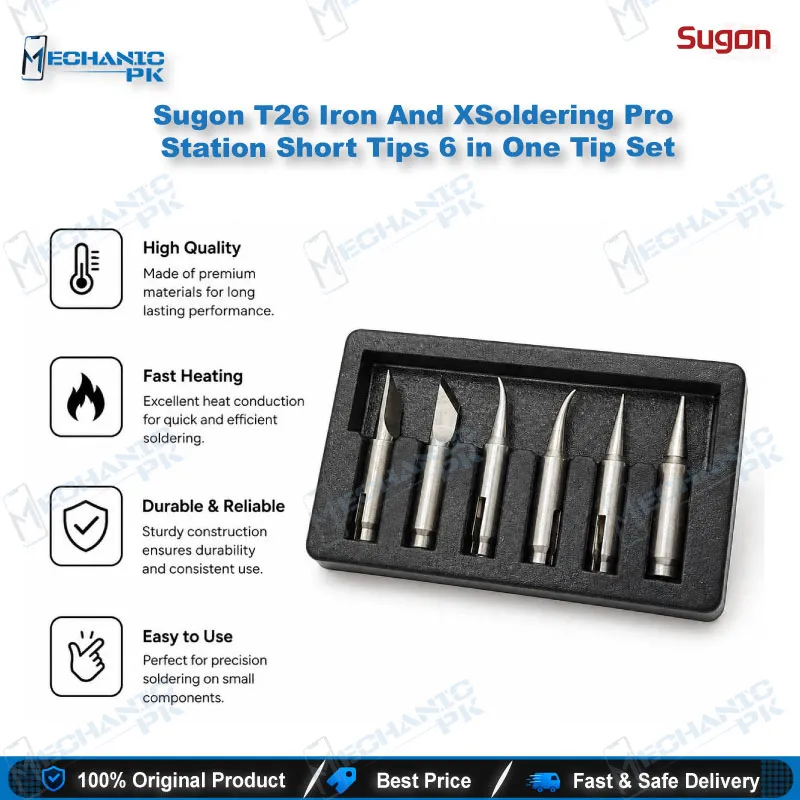
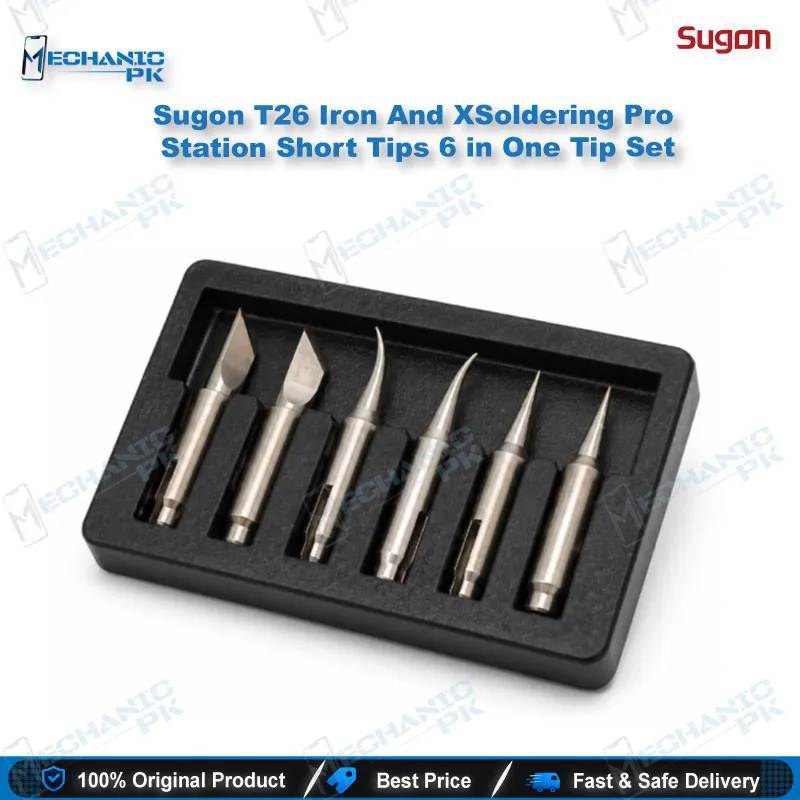
Tip shape decides how well you reach and heat each joint. A fine chisel tip suits SMD resistors, capacitors, and fine-pitch IC pins. A broader tip works better for connector shields and larger pads. Match the tip to the pad size, not to the component size. A tip that is too large overheats neighboring traces and can lift pads. A tip that is too small takes longer to heat the joint and raises the risk of cold solder. Keep a few tip shapes on hand so you can switch without a long wait.
Using the Station Safely on the Bench
Set the temperature before you start, and let the tip stabilize for a few seconds before you touch the board. Use the auto sleep feature to protect the heating element during breaks, but wake the station before you resume work. Keep the stand clean and dry, and avoid pressing the tip against the sponge with excess force. Work above 300°C for long periods accelerates tip wear, so use the lowest temperature that melts your solder cleanly. These habits extend tip life and give you more consistent joints across a full repair day.
| Weight | 0.9 kg |
|---|
Key Features
- 120W heating system for fast tip recovery
- 200–500°C output range for lead-free work
- Single-chip temperature control for stable heat
- Three memory channels for saved temperature settings
- Temporary boost function for large solder joints
- Auto sleep mode to protect the heating element
- Compatible with JBC T210 series handle and C210 series tips
- Designed for lead-free soldering on phone boards
Specifications
| Brand | Sugon |
|---|---|
| Model | T26 |
| Category | Soldering Station |
| Compatibility | JBC T210 series handle, C210 series tips |
| Supported Devices | Universal, not device-specific |
| Technology | Lead-free soldering, three memory channels, auto sleep |
| Power Rating | 120W |
| Output Temperature | 200–500°C |
Common Repair Uses
- Replacing SMD components on phone logic boards
- Resoldering fine-pitch IC pins after rework
- Repairing charging port and connector solder joints
- Removing and re-tinning solder bridges on small pads
- Soldering large shield pins with the temporary boost function
- Repairing lead-free joints on board-level faults
- Tinning and maintaining tip shape during long repair sessions
- General PCB work on consumer electronics boards
Compatible Devices
- Soldering handle and tip scope, universal for phone repair work (not device-specific)
- JBC T210 series soldering handle
- JBC C210 series soldering tips (C210-002, C210-018, C210-020 in standard kits)
- Lead-free solder wire and paste
- Mobile phone motherboards and logic boards
- SMD resistors, capacitors and fine-pitch IC pins
- Connector shields and large ground pads
- Charging and display connector rework
- General electronics PCB soldering
FAQ
What is the product name?
What is the brand of this product?
What is the model of this product?
What is this product used for?
Which devices are compatible with this product?
Who should use this product?
What temperature range does the Sugon T26 reach?
Does the Sugon T26 work with lead-free solder?
Related products